 Doetra
SRT · VTT · TXT
An SRT file from any video.
Drop a video and get subtitles timed to the word — short, readable lines, broken where the speaker pauses. Fix anything, then download SRT for YouTube, Premiere Pro, DaVinci or CapCut.

Captions that read like captions
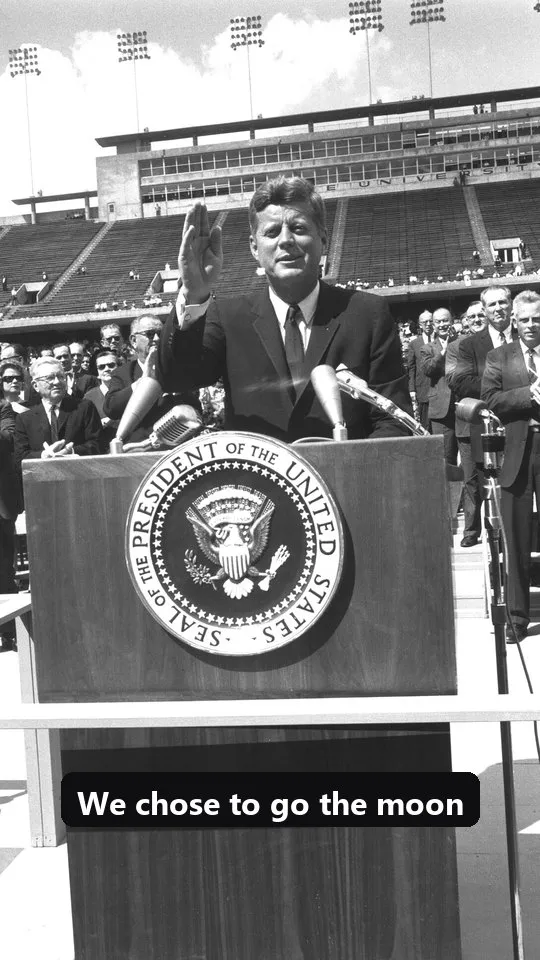
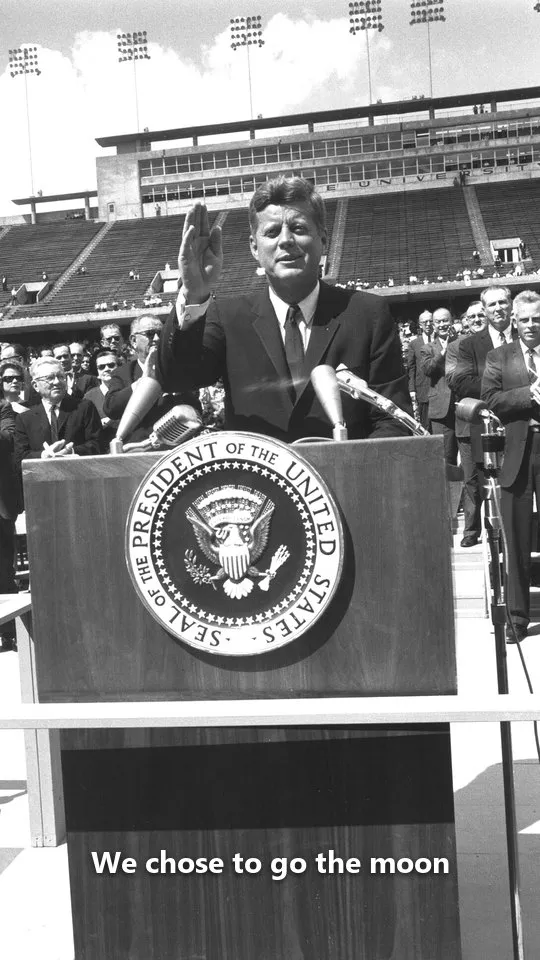
The same 15 seconds of real speech — plain auto-subtitles, and Capsy. Capsy times every word, so lines break where the speaker pauses and stay short enough to read.
Plain auto-subtitles — one word at a time
- 0:48.50we chose
- 0:49.36To
- 0:49.42Go
- 0:49.62The Moon
- 0:50.28And
- 0:50.48This
- 0:50.72Decade
Capsy — grouped by phrase and pause
- 0:48.50We chose to go the moon
- 0:50.28and this decade and do the
- 0:51.70other things not because
- 0:53.68they are easy but because
- 0:55.38they are hard because that
- PopBold, the spoken word lit up
- BoxClean text on a dark box
- CleanPlain subtitles, any video
Plus Neon, Comic and a Bangla style — any highlight colour, top, middle or bottom, one word or the whole phrase.
Pro features, free
What caption apps charge for. Here the speech AI runs on your device, so it costs nothing to give away.
How it works
- 1Drop a video or audio file.
- 2Read through the subtitles beside the video and fix any word.
- 3Download SRT, VTT or plain text.
- No watermark, any lengthFree: watermark, 1–10 min a month Free
- Word-by-word animated captions — Pop, Box, Neon, ComicPro · $12–23/mo Free
- Burned into an MP4 at full qualityFree exports capped at 720p Free
- SRT / VTT downloadNot on free plans Free
- ~100 languages + translate to English — Bangla includedPaid add-on on many Free
- Nothing uploaded — the video never leaves your deviceYour video goes to their servers Free
Questions
Will the SRT work on YouTube?
Yes. Upload it in YouTube Studio under Subtitles → Upload file → With timing. The same file works in Premiere Pro, DaVinci Resolve, CapCut and VLC.
Can I use an audio file?
Yes — MP3, WAV and M4A work for SRT/VTT. Burning captions into a video needs a video file.
Is it really free? Is there a watermark?
Yes, it is free with no watermark, no sign-up and no monthly minutes. The captions are written on your own device, so there is no server cost to pass on. Capsy is a free tool by Doetra.
Is my video uploaded anywhere?
No. The video is opened, captioned and exported in your browser. Nothing is sent to a server — even the speech recognition runs on your device.
How long does it take?
The first time, the speech AI loads in the background (once; after that it is cached). Captioning then takes roughly a quarter to a half of the video’s length on a laptop; the MP4 export takes about as long as the clip.
Can I fix a wrong word?
Yes. Every caption is listed beside the video — tap it, retype, and the timing stays in sync. Click a time to jump the video there.