 Doetra
Free · no sign-up · nothing uploaded
Edit any PDF. No limits.
Change the text already in it, fill it in, sign it, black out what’s private, then merge, split or compress. Everything happens on your device — no daily tasks, no account.
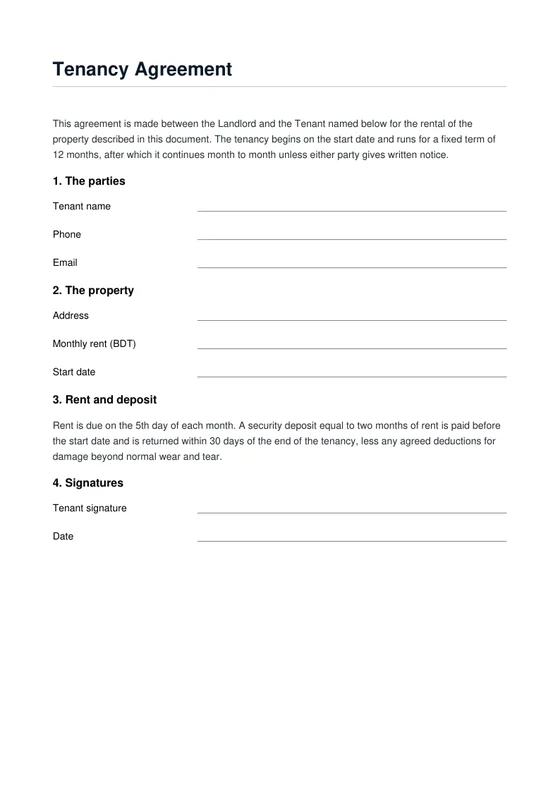
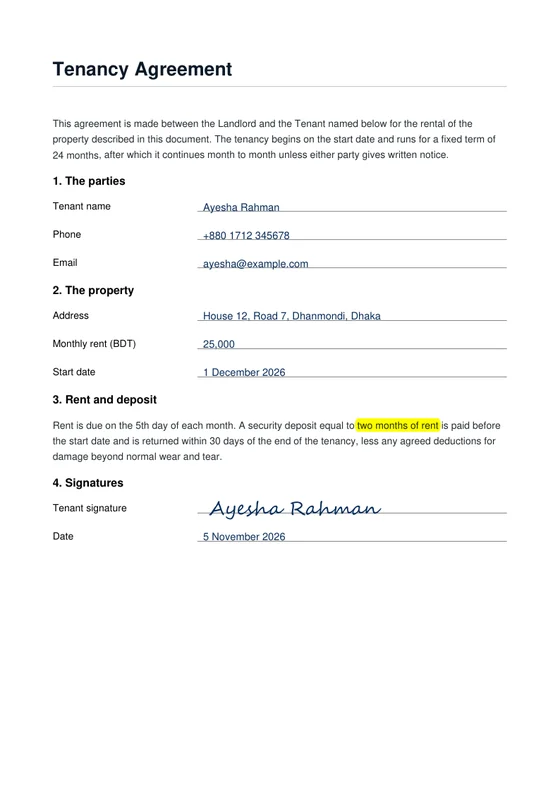 BeforeAfter · filled, signed, edited
Every PDF tool, in one place
Each has its own page — or open a PDF and use them all together.
- Edit textChange any word already in the PDF
- SignDraw, type or upload a signature
- Fill formsReal form fields and blank lines
- Merge & splitCombine PDFs, reorder, pull pages out
- CompressMake scanned PDFs smaller
- RedactBlack out private text for real
- Page numbersPlus a watermark or a header line
- PDF to JPGEvery page as an image
- JPG to PDFPhotos and scans into one PDF
- Highlight & notesMark up, draw, add sticky notes
Pro features, free
What other PDF editors charge for. Here it runs on your device, so it costs nothing to give away.
How it works
- 1Open a PDF — or drop it anywhere on the page.
- 2Click a line to change its words, or pick a tool: sign, fill, highlight, redact, add pages.
- 3Download the finished PDF. Nothing was uploaded.
- Edit the text already in a PDF — click a line and retype itPaid plans · $10–20/mo Free
- No daily limit — as many files and tasks as you likeFree: 2 tasks a day, or 3 an hour Free
- Sign without an account — draw, type or uploadAccount needed; signatures capped Free
- Real redaction — hidden text is really removedPro editors only Free
- Fill and flatten forms — real fields and blank linesOften paid plans Free
- Page numbers and watermarks — on every page in one goPaid add-on on many Free
- Big files, many pages — no size or page capFree: 50 MB / 200 pages Free
- Nothing uploaded — the file never leaves your deviceFiles go to their servers Free
Questions
Can I change the text that is already in the PDF?
Yes. Choose Edit text and click any line. Quill covers the old words and writes your new ones in the closest standard font, size and colour. The rest of the page stays exactly as it was. The old words are covered, not deleted; for private changes turn on “Remove old words for good”. Scanned pages have no real text — use White-out and Text there.
Can I edit a scanned PDF?
A scan is a picture of a page, so its words can’t be retyped directly. Cover what you want to change with White-out and type on top, or redact it.
Is it really free? Are there daily limits?
Yes, it is free with no sign-up, no watermark and no daily task limit. Everything runs in your browser, so it costs us nothing to give away. Quill is a free tool by Doetra.
Is my PDF uploaded anywhere?
No. Your file is opened, edited and saved on your own device. Nothing is sent to a server — that is also why it is fast.
Will it work on my phone?
Yes. Quill works in modern browsers on Android and iPhone; the page fits your screen and the tools sit in a bar at the bottom.
Is redaction safe?
Yes. Pages with redactions are flattened into an image, so the hidden text is really gone — not just covered by a black box that can be removed.